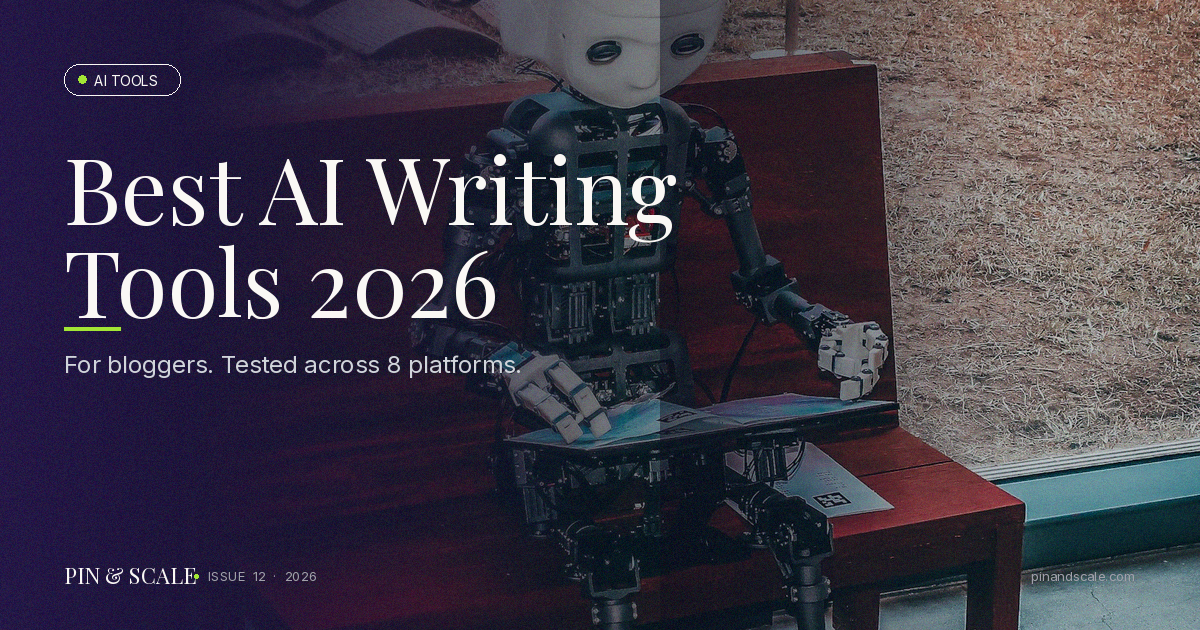
Best AI Writing Tools for Bloggers in 2026
 15 min read
Updated
15 min read
Updated
Part of the Pin & Scale Ultimate Guide series:
Best AI Writing Tools for Bloggers in 2026
Introduction
Here’s the truth: I used to spend entire weekends hunched over my keyboard, staring at blank pages, waiting for inspiration to strike. Then I discovered AI writing tools, and honestly? Everything changed. I went from spending 3-4 hours on a single blog post to knocking out quality content in about 30 minutes. I’m not exaggerating.
In 2026, AI writing assistants aren’t some sci-fi fantasy anymore—they’re practical, affordable, and genuinely transformative for anyone trying to build an audience online. Whether you’re running a niche blog, managing multiple publications, or just starting out, there’s an AI tool that fits your workflow and budget.
But here’s the catch: not all AI writing tools are created equal. Some are overhyped, some are overpriced, and some just won’t match the way your brain works. In this post, I’m breaking down the AI writing tools I’ve actually tested (not just skimmed reviews about), showing you what works, what doesn’t, and how to integrate these tools without feeling like a robot wrote your content.
If you’re looking for the fastest way to scale your writing without sacrificing quality, stick around. I’ve got real comparisons, workflows, and yes—some hard truths about where AI falls short.
This post contains affiliate links. If you purchase through these links, I may earn a commission at no extra cost to you.
Table of Contents
- Why AI Writing Tools Are a Game-Changer
- What to Look for in an AI Writing Tool
- Jasper AI: The Professional-Grade Choice
- ChatGPT and Claude: Free Options Worth Considering
- Copy.ai vs Rytr: Budget-Friendly Alternatives
- The Surfer SEO + AI Combo That Drives Traffic
- My 30-Minute Blog Post Workflow
- Common Mistakes Bloggers Make with AI Tools
- FAQ
- Final Thoughts & Call to Action
Why AI Writing Tools Are a Game-Changer
The Problem with Traditional Blogging
Let me be honest: blogging is exhausting. You’re expected to publish consistently, optimize for SEO, engage on social media, and maintain quality—all while holding down a job or juggling other projects. Most bloggers I know hit a wall within 3-6 months because the content creation process is just too time-consuming.
AI writing tools solve for this. They don’t replace you as a writer—they amplify you. Think of them like having a really smart research assistant who can draft outlines, brainstorm ideas, expand bullet points into paragraphs, and help you find the right angle for a topic.
How This Speeds Up Your Process
Here’s what changed for me: instead of starting with a blank page, I now start with AI-generated outlines and frameworks. Instead of agonizing over introductions, I have 3-4 options in seconds. Instead of hunting for data points and examples, AI suggests relevant ones that I can verify and incorporate.
The time savings are massive. What used to take 4 hours now takes 45 minutes. And the best part? The quality doesn’t suffer. In fact, it often improves because I’m less burned out and can focus on the strategy and voice of the piece rather than basic structuring.
Why 2026 Is Different
By 2026, AI writing tools have gotten way smarter about understanding context, tone, and nuance. Early versions felt clunky and formulaic. Now? You can barely tell the difference between AI-assisted content and purely human writing—if you’re using these tools correctly.
What to Look for in an AI Writing Tool
Key Features Every Blogger Needs
Not all AI writing tools are designed with bloggers in mind. Some are better for ad copy, others for social media. Before you pick one, ask yourself:
- Does it understand long-form content? You need a tool that can handle full blog posts, not just tweets and ad headlines.
- Can you train it on your voice? The best tools let you define your style so outputs sound like you, not a generic AI.
- Is SEO built in? If it doesn’t help you optimize for keywords and structure, you’ll need another tool anyway.
- What’s the learning curve? I don’t have time to watch 47 tutorials. Good tools are intuitive.
- Does it integrate with your existing workflow? Does it work with WordPress, Google Docs, or your preferred platform?
Price vs. Value
Here’s the thing about AI writing tools: the most expensive option isn’t always the best, and the cheapest option usually has serious limitations. Most reliable tools run $20-150/month depending on features and usage limits.
I think of it this way: if a tool saves you 3 hours per post and you publish 8-10 posts per month, it’s paying for itself. Don’t cheap out here—you get what you pay for.
Jasper AI: The Professional-Grade Choice
Overview
Jasper AI is the tool I use most often, and I’m going to be real about why. It’s not the cheapest, and it’s definitely not the simplest, but it’s designed specifically for long-form content creators like bloggers.
What Makes Jasper Stand Out
Jasper’s Boss Mode is where it shines. You can write actual full blog posts in the app—not just generate snippets. You provide an outline, a topic, a keyword, and your brand voice, and Jasper creates entire sections that actually sound like something you’d write.
The platform also integrates Surfer SEO data directly, which is huge. You can optimize for search intent as you write instead of running back and forth between tools. This is why pairing Jasper with SEO strategy makes so much sense for bloggers.
Pros and Cons
Pros:
– Long-form content generation is excellent
– Boss Mode feels like having a collaborative writing partner
– Built-in SEO optimization
– Strong learning model—gets better as you train it on your voice
– Chrome extension for writing anywhere
– Flexible pricing with usage-based options
Cons:
– Steeper learning curve than simpler tools
– Pricing can feel high for beginners ($49-125/month)
– Sometimes over-relies on given information, so your brief matters
– Occasionally generates fluff if you’re not specific enough
Pricing and Best For
Jasper offers monthly plans starting around $49. For serious bloggers publishing 3+ posts per week, it’s worth every penny. If you’re publishing casually (1-2 posts per month), you might find the price harder to justify.
Best for: Established bloggers who publish regularly and want professional-quality output with minimal editing.
My Recommendation
I’ve used Jasper for over a year, and I keep paying for it because it saves me time on my biggest bottleneck: initial draft creation. If you’re ready to invest in your blogging, start a free trial here: https://www.jasper.ai/
ChatGPT and Claude: Free Options Worth Considering
The Free Alternative Route
Before you spend $50/month, you should know: ChatGPT (free version) and Claude actually work surprisingly well for blog content—especially if you’re starting out.
The catch? No specialization for bloggers. You’ll be doing more manual work: outlining, framing, fact-checking. But if you’re on a tight budget, it’s better than staring at a blank page.
ChatGPT (Free & Premium)
The free version of ChatGPT can brainstorm titles, create outlines, expand bullet points, and generate full paragraphs. It’s genuinely useful. The premium version ($20/month) has GPT-4, which is notably better at understanding context and nuance.
Best for: Outlining, ideation, and getting unstuck when you’re not sure how to approach a topic.
Claude (Free & Pro)
Claude handles instructions really well and is great at understanding what you’re asking for. It’s less prone to hallucinating facts than some alternatives, which matters when you’re writing content that needs to be accurate.
Best for: Editing existing drafts, fact-checking claims, and bouncing ideas around.
The Honest Truth
If you use ChatGPT or Claude, expect to spend more time editing and fact-checking. They’re amazing for brainstorming and structure, but less refined for generating blog-ready content directly. That said, combined with Surfer SEO for optimization, you’ve got a workable blogging setup with zero money down.
Copy.ai vs Rytr: Budget-Friendly Alternatives
Copy.ai
Copy.ai is designed for marketers and creators who need fast, templated content. It’s user-friendly and cheap ($20/month with unlimited words).
Pros: Affordable, tons of templates, intuitive interface
Cons: Less customization, outputs often feel generic, limited long-form support
Rytr
Rytr ($15-29/month) is similar to Copy.ai but with a slightly better reputation for quality. It works well if you want to generate content blocks without getting too deep into AI tooling.
Pros: Very affordable, clean UI, good for email copy and social media
Cons: Limited long-form capabilities, requires more editing
When to Use Them
If you’re publishing one blog post per month and don’t want to spend $50+, these are solid picks. But be prepared for more editing time.
The Surfer SEO + AI Combo That Drives Traffic
Why This Combination Works
Here’s what I learned: AI writing tools generate content, but Surfer SEO makes sure that content actually ranks and drives traffic.
Surfer analyzes top-ranking pages for your keyword and shows you the exact structure, word count, headings, and semantic keywords that Google favors. When you combine this with AI writing, you’re not just creating content—you’re creating optimized content that’s built to rank.
The Workflow
- You research a topic in Surfer
- Surfer generates a recommended outline based on top performers
- You feed that outline to Jasper (or ChatGPT)
- AI generates content
- You refine based on Surfer’s optimization score
- Publish a post that’s both human-written and search-optimized
https://surferseo.com/ — Surfer’s integration with Jasper makes this seamless. 25% recurring commission if you sign up through my link.
My 30-Minute Blog Post Workflow
The Step-by-Step Process
Step 1: Research and Outline (5 minutes)
I spend a few minutes in Surfer, looking at what’s already ranking for my keyword. I note headings, structure, and key points that appear in multiple top posts.
Step 2: Brief Jasper (2 minutes)
I create a one-paragraph brief for Jasper: topic, target keyword, audience, angle, and 3-4 key points I want covered.
Step 3: Generate Draft (8 minutes)
Jasper generates the full post in Boss Mode. I’m not doing a light review here—I’m actually reading and noting sections that need tweaking.
Step 4: Edit and Personalize (10 minutes)
This is the critical part. I’m rewriting sections to add my voice, examples from my experience, and specific details that make it unique. I’m also tightening paragraphs and removing anything that feels generic.
Step 5: SEO Polish and Format (5 minutes)
I review against Surfer’s recommendations, adjust headings if needed, add internal links (like how to start a blog in 2026), and format for readability.
Total time: ~30 minutes for a polished, optimized, 2000+ word post.
Why This Works
The key is that AI handles the heavy lifting (research synthesis and initial draft) while you handle what only a human can do (voice, unique perspective, fact-checking, optimization).
Common Mistakes Bloggers Make with AI Tools
Mistake #1: Publishing Without Editing
If you copy-paste AI output directly to your blog without reading it, you’re doing yourself a disservice. AI sometimes hallucinates facts, repeats itself, or misses your nuance entirely. Always read what you’re publishing.
Mistake #2: Ignoring SEO
Using AI without SEO strategy is like having a fast car but no GPS. You’ll create content, but it won’t be the right content. Always start with keyword research and search intent.
Mistake #3: Not Training the Tool on Your Voice
Most AI tools learn better when you give them examples of your writing. Spend time training it, show it your best posts, and it’ll get better at matching your style.
Mistake #4: Treating AI as a Replacement for Originality
AI is a tool, not a writer. If you rely on it to come up with unique angles or original research, you’ll sound like everyone else. Bring your own perspective and use AI to execute it faster.
Mistake #5: Using the Same Tool for Everything
Different tools are good for different things. I use ChatGPT for brainstorming, Jasper for drafting, and Surfer for optimization. Using one tool for everything is like only using a hammer when you need a whole toolkit.
FAQ
Q: Will Google penalize me for using AI-written content?
A: No. Google doesn’t penalize AI content—it penalizes unhelpful content. If your AI-assisted post is well-researched, original, and helpful, you’re fine. Google cares about quality and relevance, not whether a human wrote every word.
Q: Do I have to disclose that I used AI?
A: Good question. There’s no legal requirement to disclose AI use in blog content. That said, some platforms (like Medium) have policies about it. I don’t disclose it because my content is still edited and fact-checked by me, but it’s your call.
Q: Can I write an entire blog with just free tools?
A: Absolutely. ChatGPT (free) + Surfer’s free plan + your own editing can produce quality content. You’ll spend more time, but the cost is zero.
Q: What if AI generates something I’m not comfortable with?
A: Keep the parts you like, rewrite the rest. AI-generated content is a starting point, not the finished product. You’re always in control.
Q: How often should I publish to justify an AI tool subscription?
A: If you’re publishing 2+ posts per week and your time is valuable, a $50/month tool pays for itself. If you publish less frequently, use free tools or subscribe monthly when you need it.
Final Thoughts & Call to Action
AI writing tools in 2026 are genuinely useful for bloggers who want to scale without burning out. They’re not magic—they won’t write your blog for you, and they won’t replace good strategy. But they will save you 5-10 hours per week if you use them right.
My workflow has been transformed by pairing Jasper AI with Surfer SEO, and I genuinely believe this combo is the fastest way to create optimized, high-quality blog content. If you’re serious about growing your blog, I’d recommend starting with a free trial of https://www.jasper.ai/ to see if it clicks for you.
If you want to dig deeper into building a profitable blog from scratch, check out our complete guides on how to start a blog in 2026 and the best blog hosting comparison. And for hosting itself, Hostinger offers excellent plans for bloggers just getting started.
The bloggers winning in 2026 aren’t the ones spending 20 hours per week writing. They’re the ones who’ve learned to work smarter, not harder. AI tools are how you do that.
Ready to speed up your writing? Sign up for Jasper AI’s free trial today and publish your first post in under an hour.
Last updated: May 2, 2026
Before you go — grab the free Pinterest Affiliate Toolkit
Everything you need to start earning with Pinterest affiliate marketing — in one free PDF.
📩 Instant delivery. No spam. Unsubscribe anytime.
You’re in! Check your inbox.
Your Pinterest Affiliate Toolkit PDF is on its way.


3 Comments